

Installing a copper wire connector on a coaxial cable is a fundamental skill for many electrical and networking applications. As a leading supplier of Copper Wire Connectors, I'm here to guide you through the process step by step, ensuring a secure and reliable connection every time.
Understanding Coaxial Cables and Copper Wire Connectors
Before we dive into the installation process, it's essential to understand the components involved. Coaxial cables are widely used for transmitting high-frequency signals, such as those used in television, internet, and radio systems. They consist of a central conductor, an insulating layer, a metallic shield, and an outer jacket.
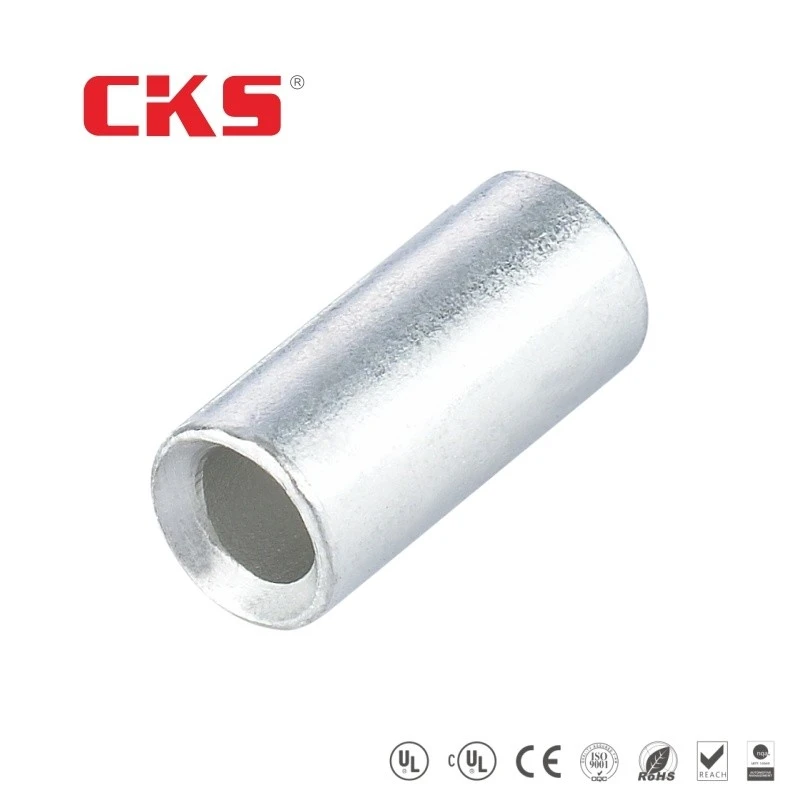
Copper wire connectors, on the other hand, are used to join two or more coaxial cables together or to connect a coaxial cable to a device. There are several types of copper wire connectors available, each designed for specific applications. Some of the most common types include Non Insulated Butt Splice Connectors, Butt Splice Wire Connectors, and StepDown Non-Insulated Window Butt Connector.

Tools and Materials You'll Need
To install a copper wire connector on a coaxial cable, you'll need the following tools and materials:
- Coaxial cable: Make sure the cable is the correct type and size for your application.
- Copper wire connector: Choose the appropriate connector based on your needs.
- Cable stripper: This tool is used to remove the outer jacket and insulating layer of the coaxial cable.
- Crimping tool: A crimping tool is used to secure the connector to the cable.
- Wire cutters: You'll need wire cutters to trim the cable and remove any excess wire.
- Safety glasses: Always wear safety glasses to protect your eyes from flying debris.
Step-by-Step Installation Guide
Now that you have all the necessary tools and materials, let's get started with the installation process.
Step 1: Prepare the Coaxial Cable
- Measure and cut the cable: Use a tape measure to determine the length of cable you need and cut it using wire cutters. Make sure the cut is clean and straight.
- Strip the cable: Use a cable stripper to remove the outer jacket and insulating layer of the coaxial cable. Be careful not to damage the central conductor or the metallic shield. Most cable strippers have different settings for different cable sizes, so make sure you use the correct setting for your cable.
- Trim the central conductor: Once the cable is stripped, use wire cutters to trim the central conductor to the appropriate length. The length will depend on the type of connector you're using, so refer to the manufacturer's instructions for specific guidelines.
Step 2: Prepare the Copper Wire Connector
- Inspect the connector: Before installing the connector, inspect it for any damage or defects. Make sure the connector is the correct size and type for your cable.
- Insert the cable into the connector: Carefully insert the stripped end of the coaxial cable into the connector. Make sure the central conductor is centered in the connector and that the metallic shield is in contact with the connector's outer shell.
Step 3: Crimp the Connector
- Position the connector in the crimping tool: Place the connector in the appropriate crimping die of the crimping tool. Make sure the connector is fully seated in the die and that the tool is aligned correctly.
- Crimp the connector: Squeeze the handles of the crimping tool firmly to crimp the connector onto the cable. Apply enough pressure to ensure a secure connection, but be careful not to over-crimp the connector, as this can damage the cable or the connector.
- Inspect the crimp: After crimping the connector, inspect it to make sure the connection is secure. The connector should be tightly crimped to the cable, and there should be no visible gaps or loose wires.
Step 4: Test the Connection
- Connect the cable to a device: Once the connector is installed, connect the coaxial cable to a device, such as a television or a modem.
- Test the signal: Turn on the device and check the signal strength. If the signal is weak or there are any interference issues, the connection may not be secure. In this case, you may need to re-crimp the connector or check for any other issues with the cable or the device.
Tips and Best Practices
- Choose the right connector: Make sure you choose the appropriate connector for your cable and application. Using the wrong connector can result in a poor connection or even damage to the cable or the device.
- Use quality tools: Invest in high-quality cable strippers, crimping tools, and wire cutters. Using cheap or low-quality tools can make the installation process more difficult and may result in a poor connection.
- Follow the manufacturer's instructions: Always refer to the manufacturer's instructions for specific guidelines on how to install the connector. Different connectors may have different installation requirements, so it's important to follow the instructions carefully.
- Practice on scrap cable: If you're new to installing copper wire connectors on coaxial cables, it's a good idea to practice on scrap cable first. This will help you get familiar with the process and ensure that you're doing it correctly.
Conclusion
Installing a copper wire connector on a coaxial cable is a relatively simple process that can be completed with the right tools and materials. By following the steps outlined in this guide and using the tips and best practices provided, you can ensure a secure and reliable connection every time.
If you're in the market for high-quality copper wire connectors, look no further. As a trusted supplier, we offer a wide range of connectors to meet your needs. Whether you're a professional installer or a DIY enthusiast, we have the products and expertise to help you get the job done right. Contact us today to discuss your requirements and start your procurement process.
References
- Electrical Installation Handbook, Various Authors
- Coaxial Cable Installation Guide, Industry Standards Publications